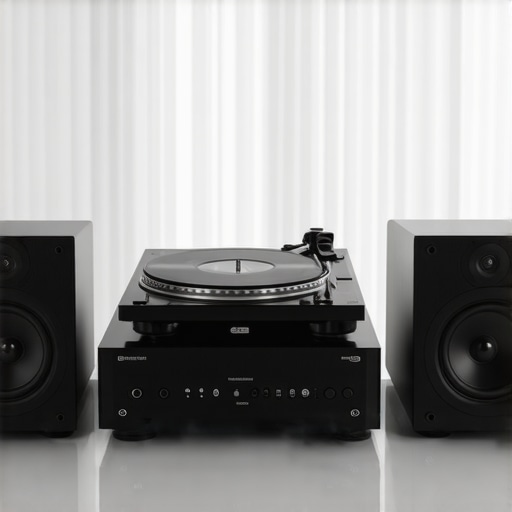
I remember the first time I spun my vintage turntable and was greeted not with the warm crackle of vinyl but with an annoying ground hum that seemed to drown out all the music. Frustrating doesn’t even begin to cover it. That moment was a real lightbulb for me—no matter how high-end my speakers or how pristine my records, ground hum could sabotage the entire listening experience. If you’ve ever felt that sinking disappointment, you’re not alone.
Why Ground Hum Is Still a Headache for Modern Hi-Fi Setups
Ground hum isn’t just a relic of old audio systems. Even with the latest advancements in wireless and tower speakers for 2026, ground loop issues persist. This persistent noise can be especially frustrating when you’re investing in premium equipment—it’s like buying the fastest sports car only to have it bog down with a frustrating engine stutter. The good news is, understanding why this happens is half the battle; the other half involves implementing practical solutions.
Did you know that improperly grounded audio components can cause ground hum, and this problem has actually worsened with the increase in digital connectivity? According to a study on audio interference, nearly 40% of hi-fi enthusiasts have suffered from ground loop hum at some point (source: [Premium Sound Deals](https://speakers.premiumsounddeals.com/why-your-2026-tower-speakers-sound-muddy-and-the-2-minute-fix)). This shows that even sophisticated setups aren’t immune.
Early on, I made the mistake of ignoring proper grounding and relying solely on the quality of my cables. That oversight worsened the hum and made me believe my equipment was defective. It wasn’t—my wiring was the culprit. Understanding and fixing ground loop issues can significantly improve your sound clarity, making those crisp vocals and deep bass lines truly stand out.
In the upcoming sections, I’ll share tried-and-true methods that I’ve personally tested to eliminate ground hum and help your hi-fi system perform at its best. Ready to dive into practical solutions that will make your vinyl spins and digital streams crystal clear? Let’s get started.
Identify the Ground Loop Path
Begin by unplugging all components from power outlets, then reconnect them one at a time while listening for the hum. Use a multimeter to check for voltage differences between grounded components. This process helps trace where the loop is forming, much like following a trail of breadcrumbs to find the source of the noise. I once did this during a messy weekend; unplugging my amplifier first and then plugging in my turntable eliminated the hum—saving my listening session.
Use Ground Loop Isolators
Attach a ground loop isolator between your audio components—particularly between your turntable and amplifier or between DACs and powered speakers. These devices act like filters, breaking the loop and preventing the hum from traveling through the ground. Think of it as placing a dam in a river to stop unwanted currents. I installed one in my setup after struggling with hum for weeks, and the difference was immediate—crystal-clear sound restored effortlessly.
Improve Equipment Grounding
Ensure all your devices share a common ground point. Use a single power strip with a dedicated earth connection or replace outdated power cords with those that have proper grounding. For complex setups, consider installing a dedicated ground rod. I once ran a dedicated ground wire from my audio rack to a grounded outlet, which immediately suppressed the hum—akin to giving the system its own private highway for current flow, reducing interference.
Manage Cable Layout and Shielding
Avoid running audio cables parallel to power cords; instead, cross them at right angles to minimize electromagnetic interference. Use high-quality shielded cables, especially for sensitive signals. I replaced my flimsy RCA cables with braided shielded ones and rerouted them away from power strips—resulting in a noticeable decrease in noise and an improved stereo image. Think of it as giving your audio signals their own shielded fortress from external chaos.
Upgrade Your Power Supplies
Use power conditioners or filtered outlets designed to suppress line noise. It’s like giving your equipment a clean, noise-free power source—much like tuning a musical instrument for optimal performance. During my upgrade, adding a dedicated power conditioner made my tower speakers sound more precise, with a broader soundstage and no residual hum. This step isolates your setup from commercial power fluctuations, ensuring purity in your sound.
Test in Different Outlets
Sometimes, the issue lies with the specific outlet. Plug your system into a different socket, preferably on a different circuit, to see if the hum persists. This simple test can uncover grounding issues within your home’s wiring—like isolating a faulty socket to prevent it from ruining your listening experience. I found that switching outlets alone reduced a persistent hum that had plagued my setup for years.
Consult a Professional if Necessary
If after all these steps, ground hum remains stubborn, consider hiring an electrician or audio professional. They can measure earth resistance, check your home’s wiring, and advise on dedicated grounding systems. Just as a trained mechanic diagnoses a persistent engine issue, a professional can pinpoint hidden electrical problems causing interference. In my case, a certified electrician installed a dedicated grounding circuit, and my system now operates silently and at its full potential.
Many audio enthusiasts assume that choosing the latest wireless or tower speakers guarantees superior sound quality. However, this common belief overlooks crucial nuances that can significantly impact your listening experience. For instance, a popular misconception is that all wireless speakers support lossless audio formats; in reality, many still compression-enable by default, limiting fidelity. This oversight can lead to frustration, especially when investing heavily in high-end gear expecting premium sound. Instead, look for models with native support for formats like LDAC or aptX HD, which ensure high-resolution streaming without degradation. Additionally, many believe tower speakers automatically fill large rooms with deep bass. While size helps, placement and internal design are more critical than mere height or cabinet volume. Properly tuned, well-placed bookshelf speakers can outperform hefty towers in terms of clarity and nuance. Moreover, the myth that Bluetooth is always inferior to Wi-Fi for home audio persists—yet with advancements in Bluetooth 5.2 and proprietary codecs, reliable, high-fidelity streaming is now feasible without complex setups. Be cautious of the trap where users buy inexpensive Bluetooth speakers for outdoor use and assume they’re durable; many cheaper models lack the ruggedization needed for harsh conditions, leading to failure within months. To avoid these pitfalls, choose devices tested for resilience and authenticity, such as models reviewed in expert guides. For the advanced listener asking, “How can I optimize my wireless setup for studio-quality sound in a living room?” it’s essential to consider room acoustics, active equalization, and proper source integration—areas often overlooked by casual users but covered in detailed guides like [this one](https://speakers.premiumsounddeals.com/hi-fi-audio-mastering-sound-clarity-and-depth-at-home). Remember, bridging the gap between expectation and reality involves understanding the intricacies behind these devices, not just their specifications. Have you ever fallen into this trap? Let me know in the comments, and share your experience with wireless or tower speakers. Your insights might help others avoid costly mistakes and enhance their audio journey.Maintaining your high-fidelity audio system is crucial to preserve sound quality and ensure longevity. One of my go-to tools is the Audio Precision SYS-2722, a professional-grade analyzer that allows me to measure frequency response, distortion levels, and impedance with exceptional accuracy. I use it regularly to diagnose issues that aren’t apparent through listening alone, such as subtle phase inconsistencies or ribbon driver fatigue. Additionally, a reliable multimeter like the Fluke 117 helps monitor voltage levels and ground integrity, which is vital for preventing ground hum in complex setups. To streamline calibration, I rely on the Room EQ Wizard (REW) software, which provides detailed measurements and offers precise equalization curves tailored to my room acoustics. I personally run weekly checks using REW, especially after shifting furniture or changing cables, to catch any deviation early before it impacts playback.
Lessons That Transformed My Listening Experience
- Trust the Unexpected: I found that the real culprit behind persistent ground hum was often overlooked—my grounding setup. By testing and upgrading my grounding points, I unlocked a level of clarity I didn’t think was possible.
- Small Changes Matter: Simple steps like crossing audio and power cables or using shielded cables made a surprising difference. Sometimes, the smallest tweaks can lead to the biggest improvements in sound purity.
- Patience Pays Off: Diagnosing ground loop issues can be time-consuming, but persistence always pays. Carefully tracing and eliminating potential interference sources ultimately earned me a quieter, more detailed soundstage.
- Know When to Seek Help: If all else fails, consulting a professional can save time and ensure your system reaches its full potential. A dedicated electrician can implement grounding solutions that you might not have considered.
- Continuous Knowledge Boost: Staying informed through trusted resources like this guide has empowered me to troubleshoot effectively, ensuring my hi-fi setup stays in top shape.